
How to use Yealico?
The answer is:
You need to write your own site rules or import site rules shared by others.
You can write site rules for your favorite websites through the Site Rules Editor provided by Yealico.
There are two prerequisites for writing a site rule on its own:
- Read and understand the specifications for writing Yealico site rules.
- Familiar with HTML and CSS, more advanced rules writing also need to be familiar with Regular Expressions.
Yealico also provides some examples of site rules for users to learn. To find examples of these site rules, please refer to the following steps:
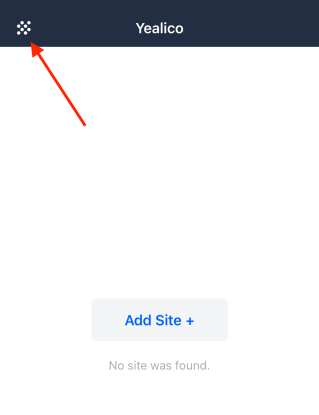
1. Click the button in the upper left corner of Yealico.
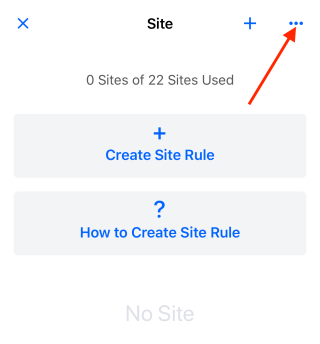
2. Click the “···” button in the upper right corner.
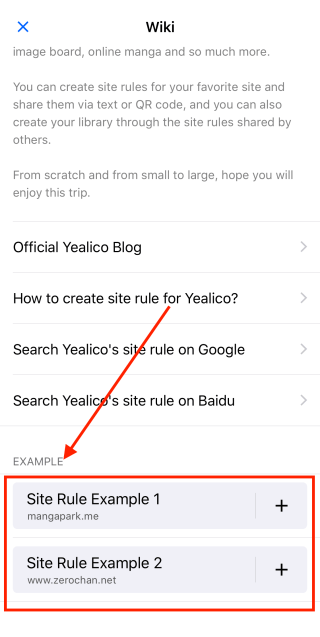
3. Drag the page to the bottom.
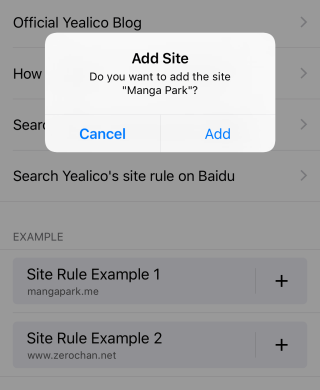
4. Click on one of the sample sites to automatically import the selected sample site.
5. Click the edit button of the sample site you just imported to view and re-edit this site rule.
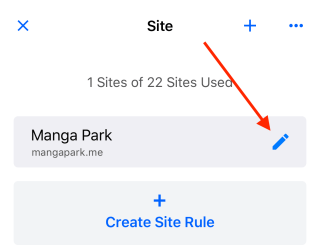
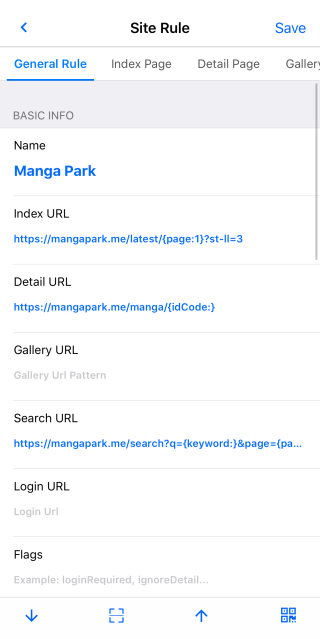
You can find an example of a site rule from the article, Sample Site Rule for Manga Park.
 Official Yealico Blog