Official Yealico Blog

Yealico is an automation tool, which will enable you to fetch data to create your personal library.

How to export and import site rules? — 2018-11-28

How to export and import site rules?

Sometimes, we want to share our own site rules for others or import site rules that others share. So, we need to learn how to export and import site rules through Yealico.

How to export site rule?

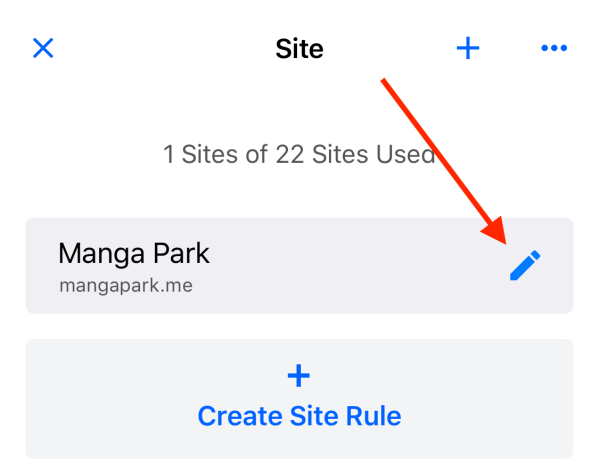
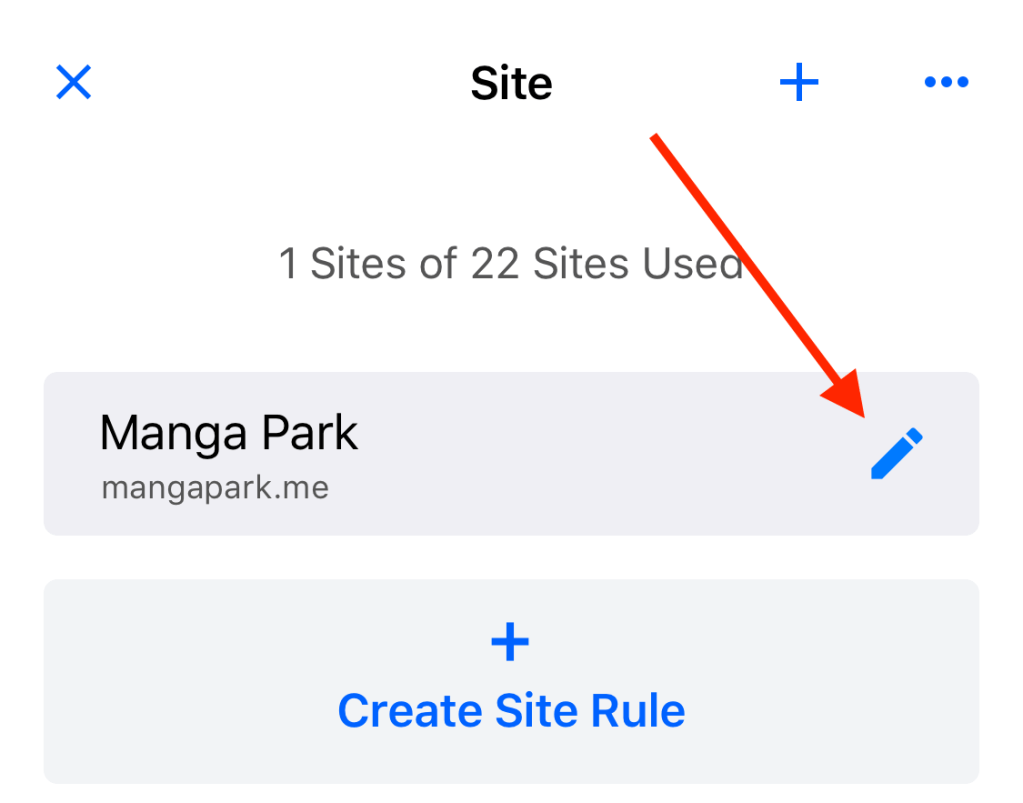
1. Select a site and click the edit button to enter the edit page.
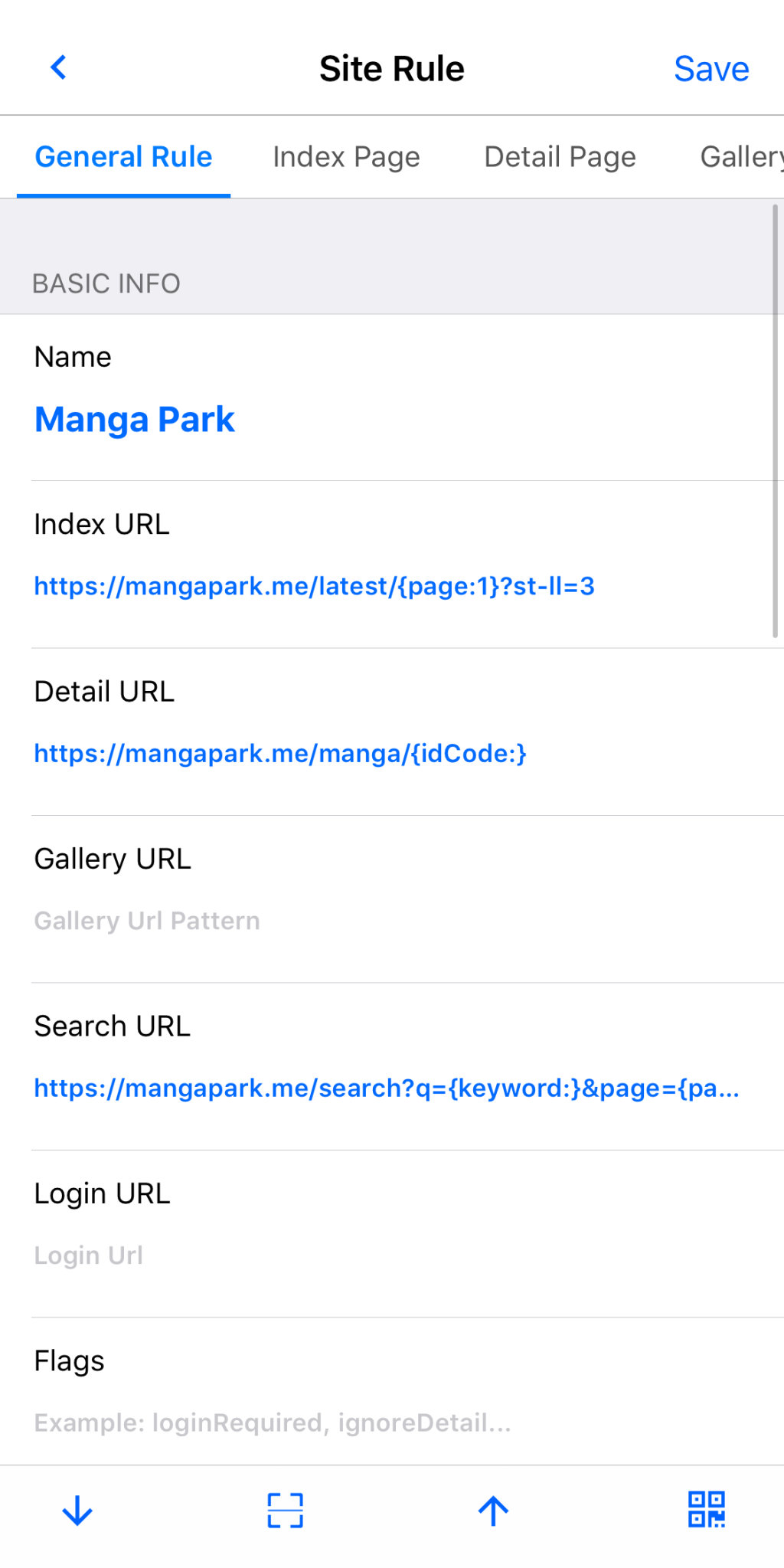
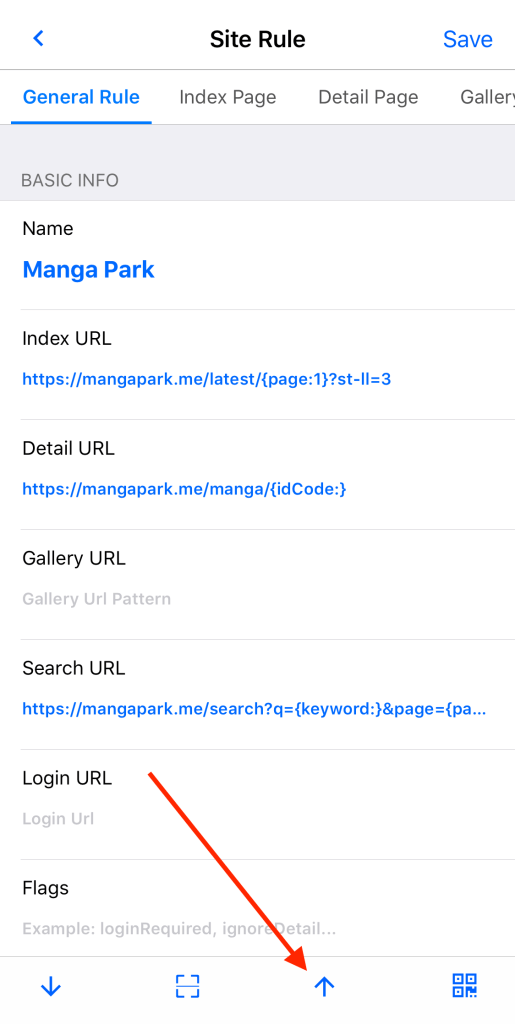
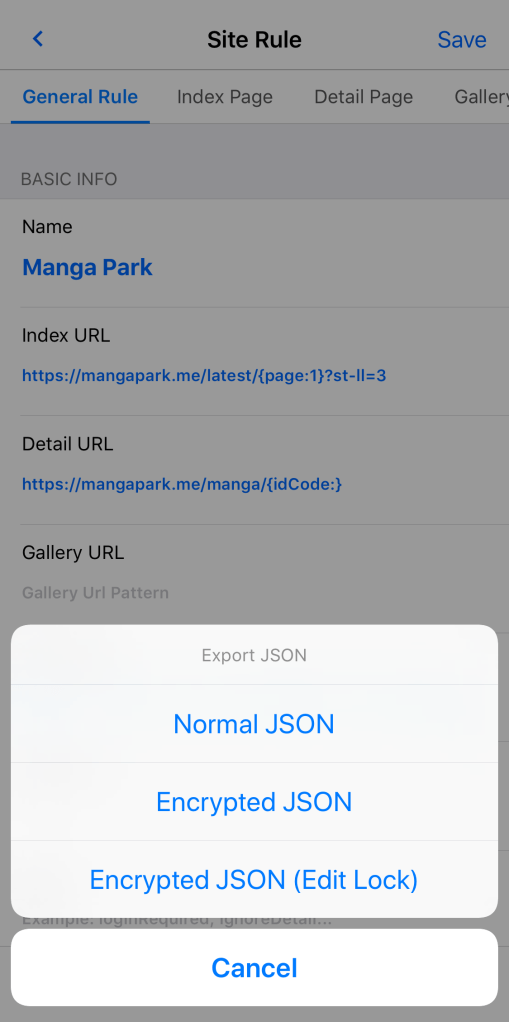
2. Click the “up arrow” button on the bottom toolbar to pop up the three modes of export and click on “Normal JSON”.
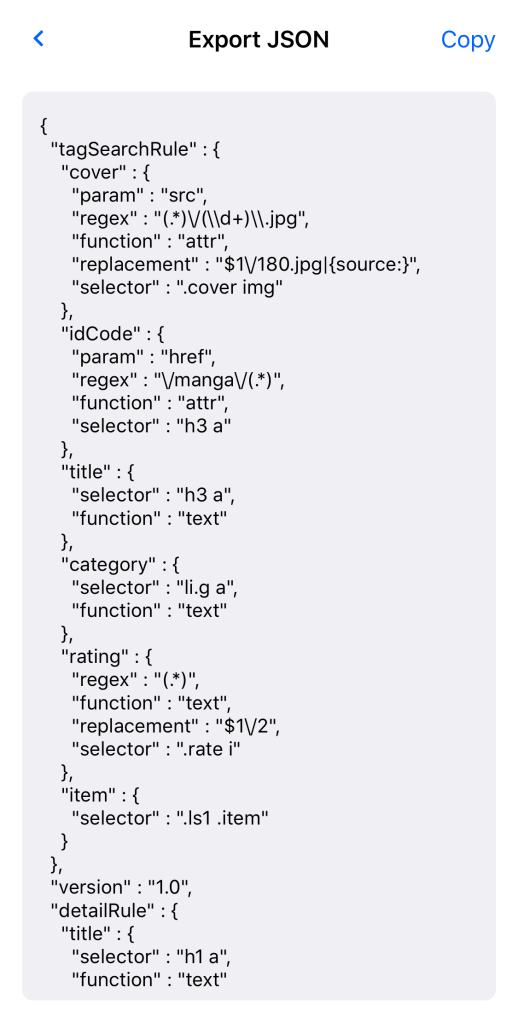
3. Yealico will output the current site rule as JSON text.
How to import site rule?

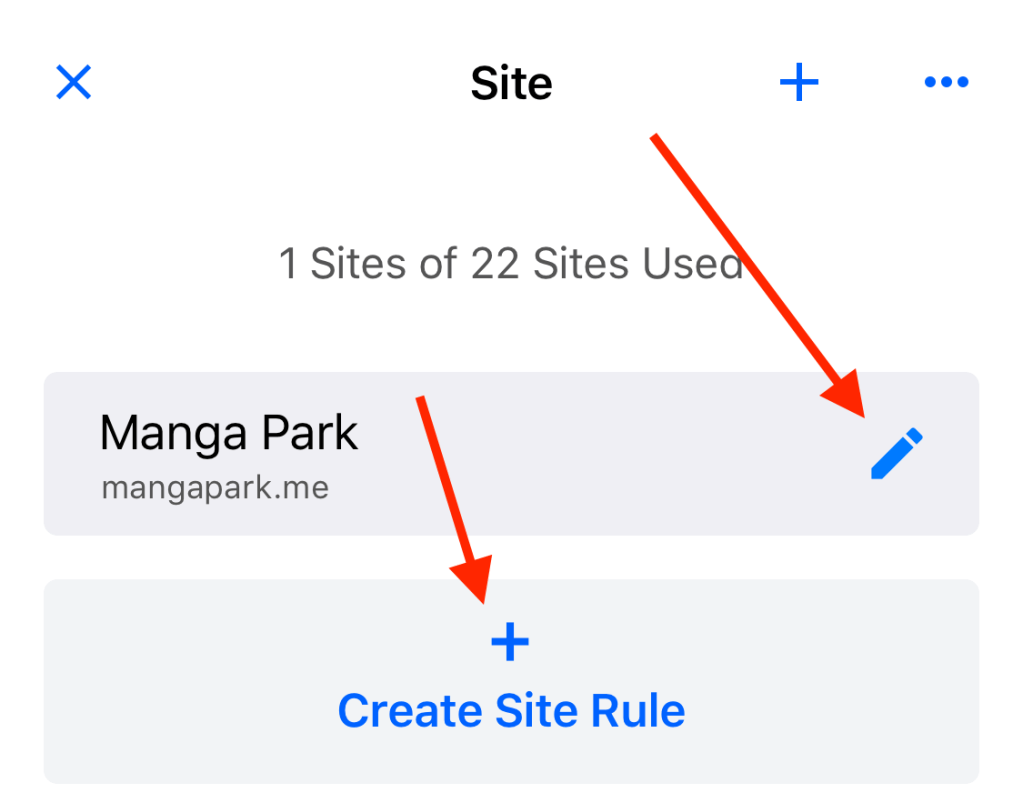
1. Select a site (overwrite) or click button to create a new site to enter the edit page.
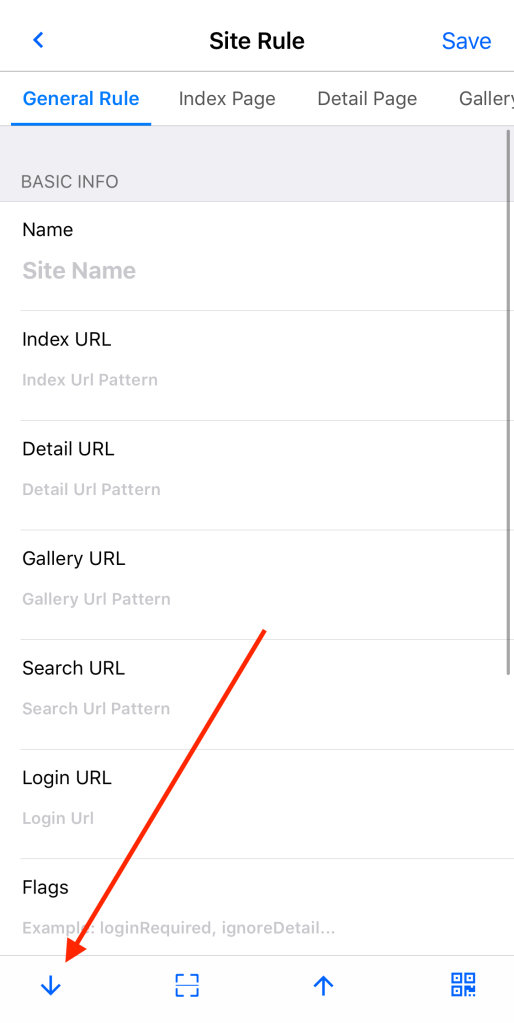
2. Click the “down arrow” button on the bottom toolbar to enter the import page.
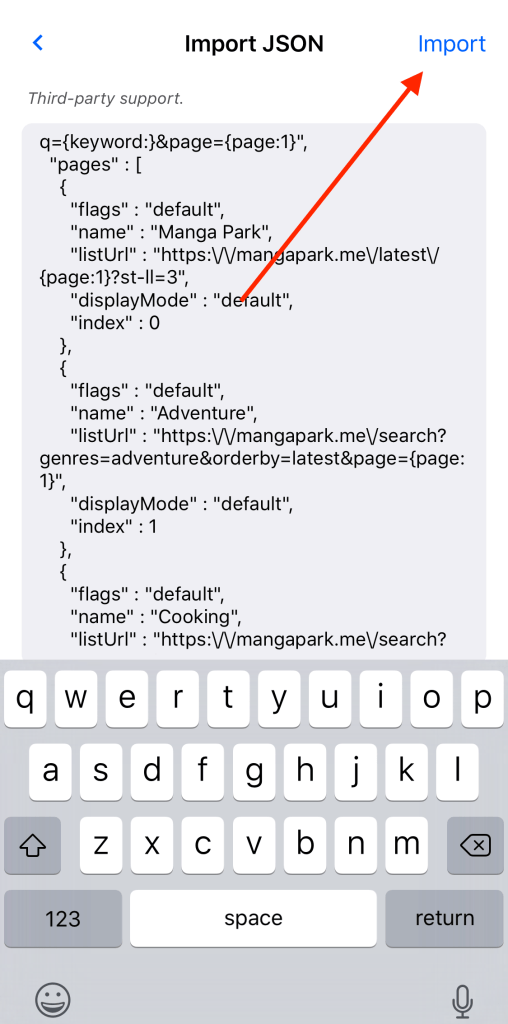
3. Paste the JSON text of the site rule into the edit box and click the “Import” button in the upper right corner, Yealico will import the site rule.
You can find an example of site rule from the article, Sample Site Rule for Manga Park.
How to write site rules? — 2018-11-26

How to write site rules?

How to use Yealico?

The answer is:

You need to write your own site rules or import site rules shared by others.

You can write site rules for your favorite websites through the Site Rules Editor provided by Yealico.

There are two prerequisites for writing a site rule on its own:

  1. Read and understand the specifications for writing Yealico site rules.
  2. Familiar with HTML and CSS, more advanced rules writing also need to be familiar with Regular Expressions.

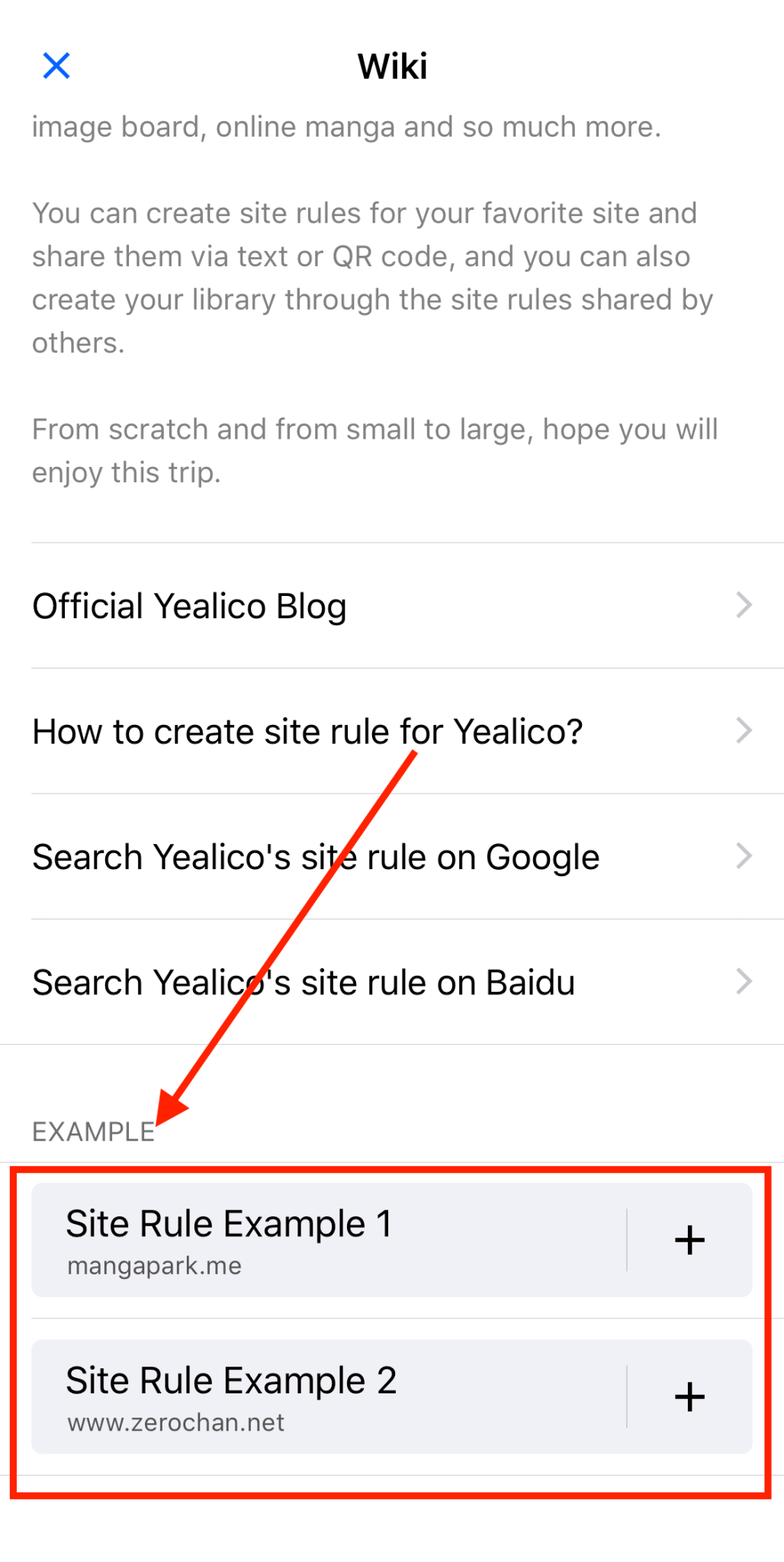
Yealico also provides some examples of site rules for users to learn. To find examples of these site rules, please refer to the following steps:

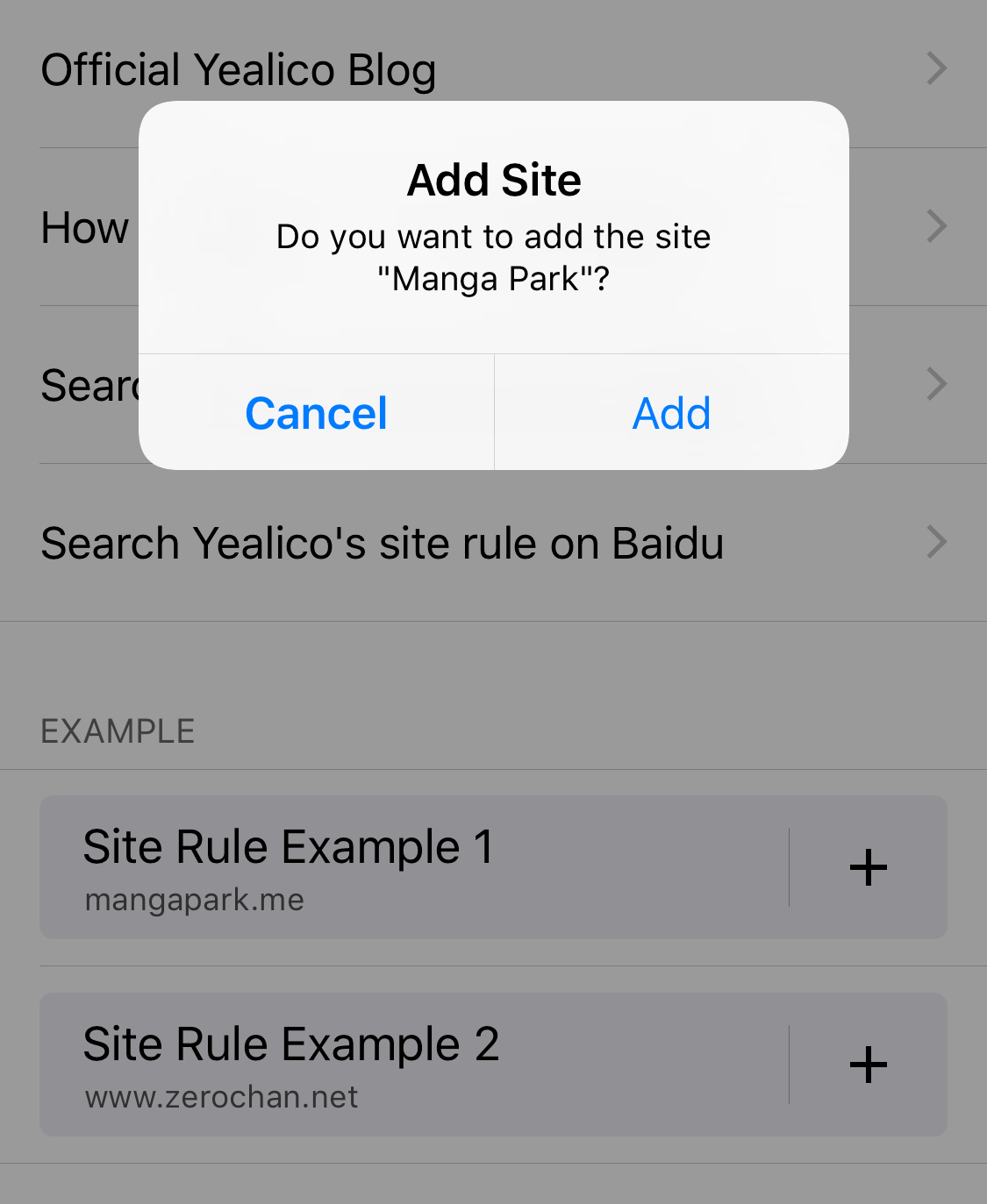
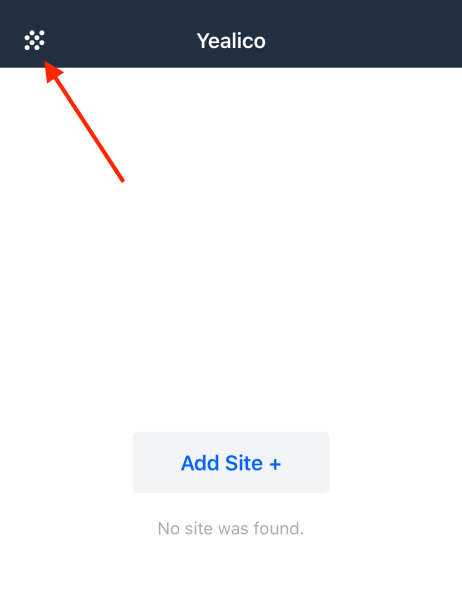
1. Click the button in the upper left corner of Yealico.


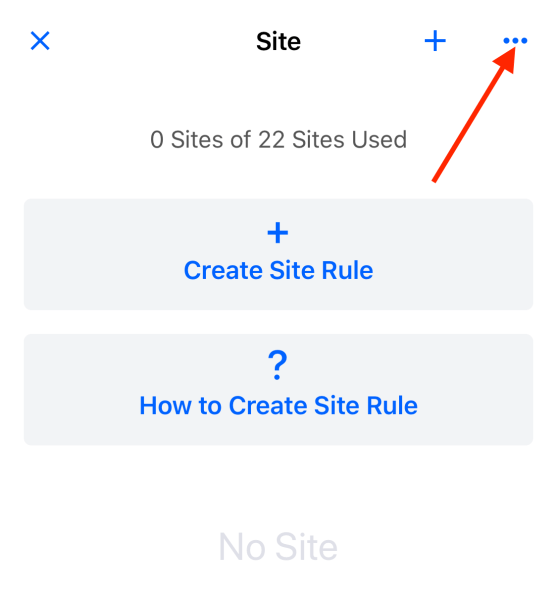
2. Click the “···” button in the upper right corner.


3. Drag the page to the bottom.


4. Click on one of the sample sites to automatically import the selected sample site.


5. Click the edit button of the sample site you just imported to view and re-edit this site rule.


You can find an example of a site rule from the article, Sample Site Rule for Manga Park.
Yealico – Your personal library. — 2018-11-17

Yealico – Your personal library.

Yealico

app-store-badge

Yealico is your personal automation tool, which will enable you to fetch data form internet to create your personal library.

By creating site rules, Yealico can access multiple types of websites, such as illustrated information, image board, online manga and so much more.

You can create site rules for your favorite site and share them via text or QR code, and you can also create your library through the site rules shared by others.

From scratch and from small to large, hope you will enjoy this trip.


Yealico is available on the App Store now.